

Description
TraceVault Audit Log gives administrators a clear, searchable audit trail for important WordPress activity. It records user, content, media, comment, plugin, theme, settings, and optional WooCommerce events into optimized custom tables, then makes that activity easy to review from wp-admin.
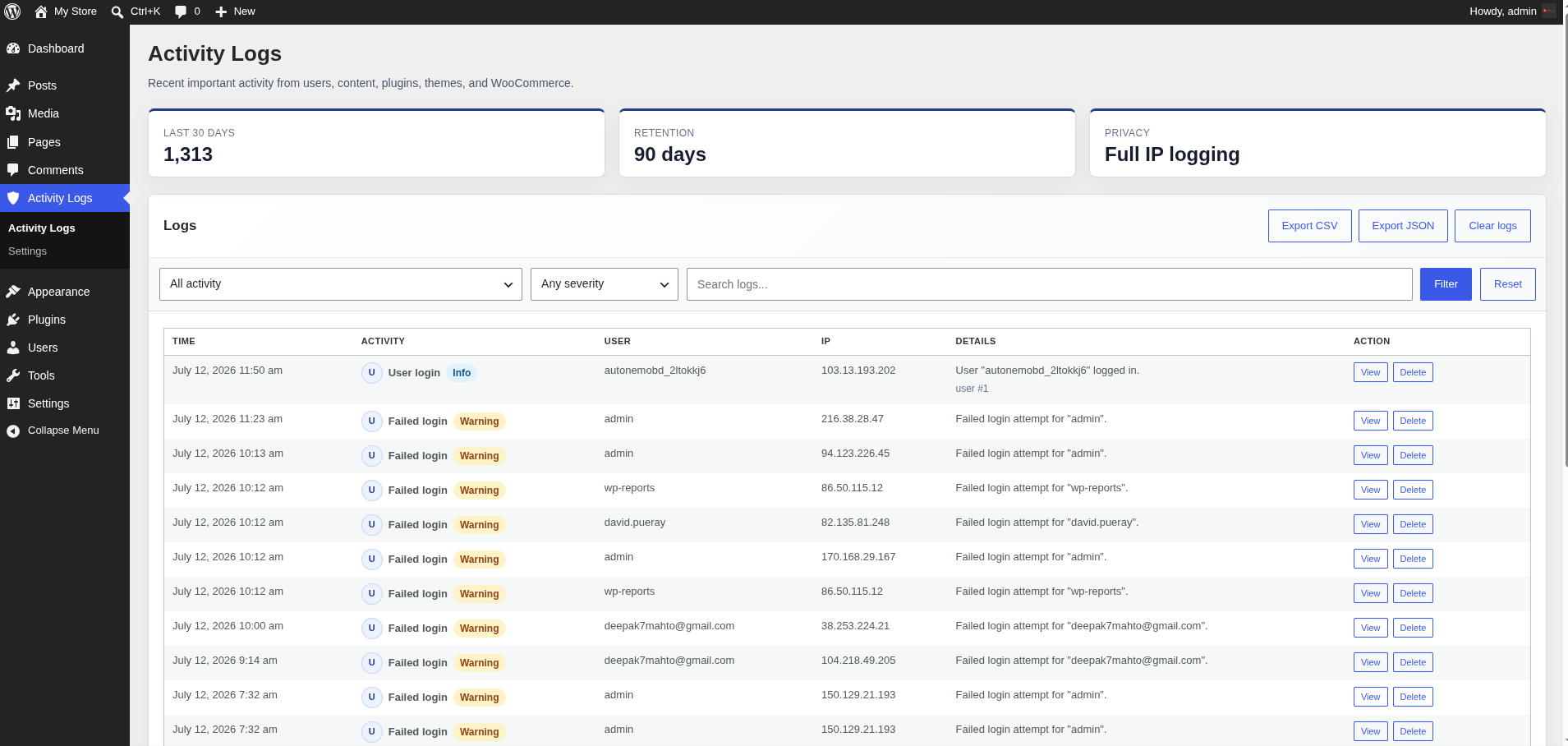
Use it to investigate account activity, track content changes, review system-level events, export filtered reports, and control how long audit data stays on the site.
Key Features
- Custom database tables for audit logs, searchable metadata, storyline incidents, and settings.
- Batched log writes to reduce runtime overhead.
- Indexed filters for event type, severity, user, role, IP address, object, date, and keyword search.
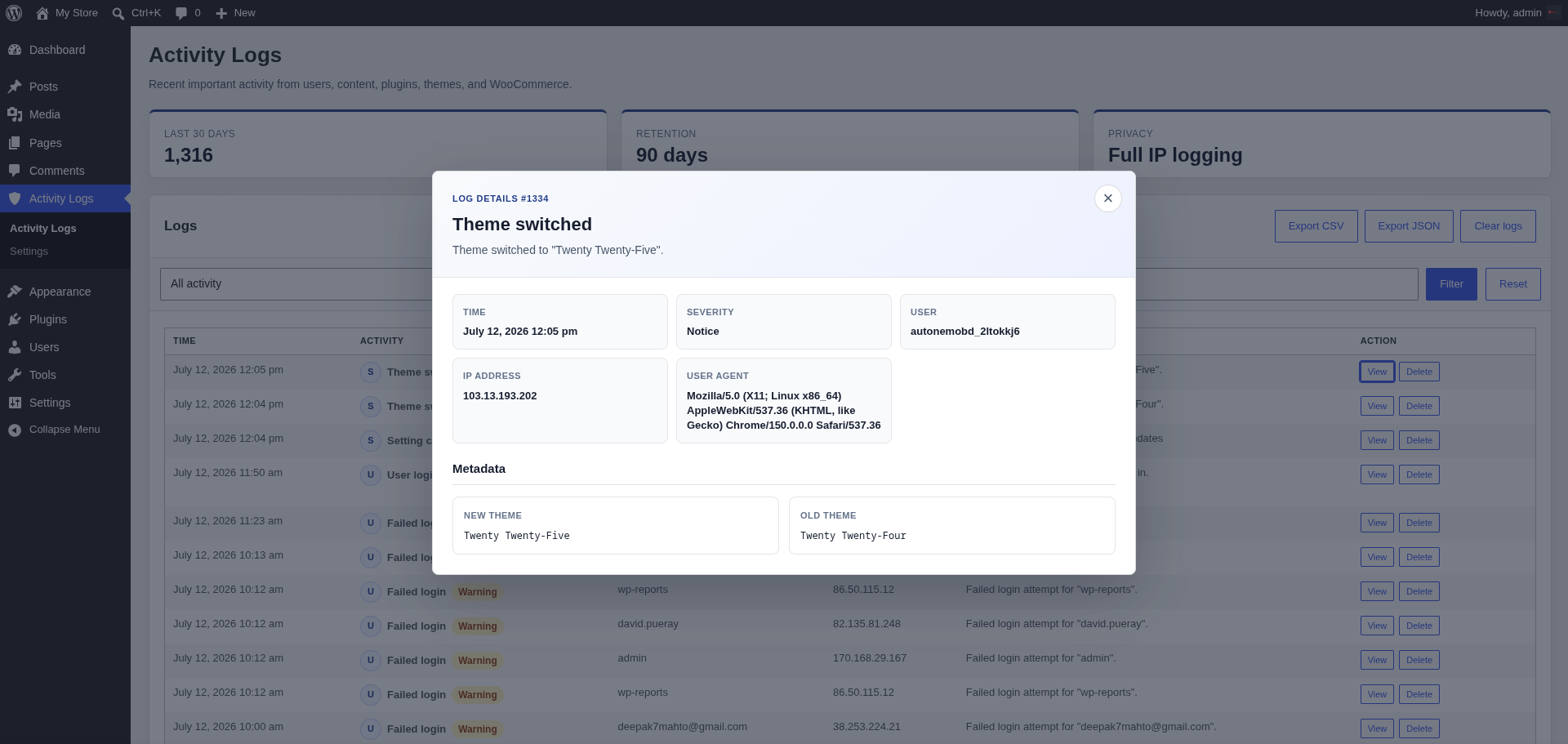
- Activity Logs screen with readable event labels, quick filters, CSV/JSON exports, and clear controls.
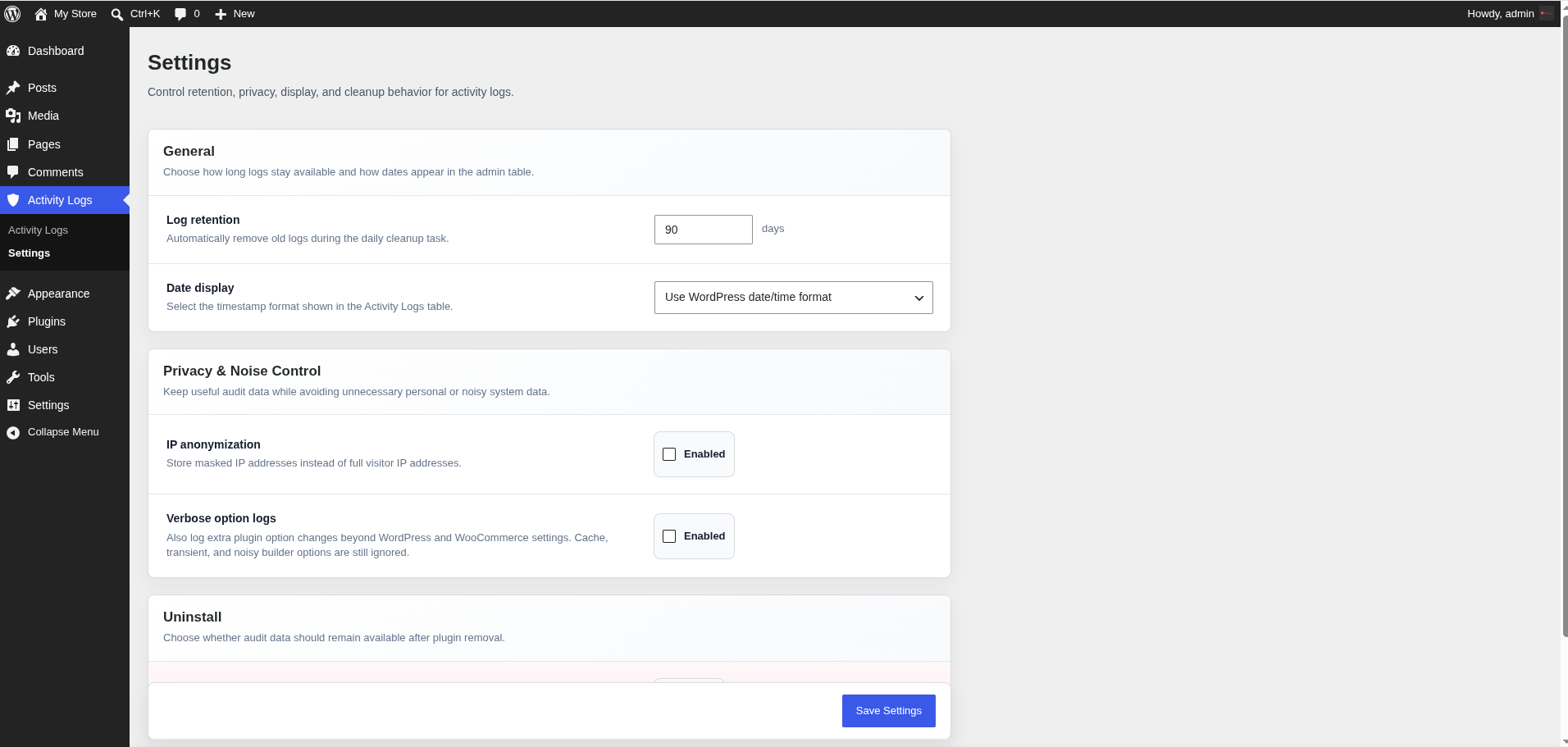
- Configurable admin date display, including WordPress format, relative time, and fixed timestamp formats.
- TraceVault Storylines reconstructs related events into explainable security incidents.
- Deterministic local risk scoring with the exact reasons each incident was flagged.
- Privacy-safe request and session correlation without storing authentication cookies or raw session tokens.
- Incident review notes, open/reviewed/resolved workflow, and forensic JSON exports.
- REST API endpoints for logs, stats, and exports.
- Retention controls, IP anonymization, personal data export, and personal data erasure support.
- Multisite activation support.
- Developer hooks and filters for custom event types.
- Quiet defaults: verbose option-update logging is disabled unless enabled, and noisy cache-style options are ignored.
TraceVault Storylines
Storylines connects related audit records by actor, privacy-safe session fingerprint, username, IP address, and time window. Instead of leaving administrators to interpret isolated rows, it reconstructs a chronological security story and explains its risk score.
Built-in local rules detect repeated failed logins, successful logins following repeated failures, administrator role escalation, privileged system changes after an escalation, bursts of system changes, high-impact activity from a new session, and sensitive WordPress setting changes. No AI service or external detection API is used.
Administrators can investigate the full timeline, record an analyst note, mark incidents reviewed or resolved, and export a forensic JSON report. Storyline sensitivity and correlation window are configurable in settings.
Logged Activity
TraceVault Audit Log can record:
- Users: login, logout, failed login attempts, profile updates, password changes, role changes, user creation, and deletion.
- Content: post and page creation, updates, deletion, media upload/deletion, comment creation, comment status changes, and comment deletion.
- System: plugin activation/deactivation/deletion, plugin and theme install/update completion, theme switch, and selected settings changes.
- WooCommerce: order create/update/status change, product create/update, and coupon create/update when WooCommerce is active.
Privacy and Retention
Audit logs can contain operationally sensitive data. TraceVault Audit Log keeps the controls local to your WordPress install:
- No external logging service is required.
- Retention defaults to 90 days and can be changed from settings.
- IP anonymization can be enabled before storage.
- Personal data exporter and eraser callbacks are registered for WordPress privacy tools.
- Data deletion on uninstall is opt-in so audit history is not removed accidentally.
Developer Friendly
Developers can create custom events with tracevault_log_event() and extend behavior with filters such as tracevault_allowed_events and tracevault_log_data_before_insert.
Storyline scoring can be extended with tracevault_storyline_evaluation, and integrations can listen for created or extended incidents with tracevault_storyline_updated.
Screenshots
Installation
- Upload the
tracevault-audit-logfolder to/wp-content/plugins/. - Activate the plugin through the Plugins screen.
- Open Activity Logs in wp-admin.
- Configure retention, privacy, and date display settings.
FAQ
-
Does this plugin use custom tables?
-
Yes. It creates
wp_tracevault_logs,wp_tracevault_meta,wp_tracevault_incidents, andwp_tracevault_settingsfor each site. -
Does it send logs to an external service?
-
No. Logs are stored in your WordPress database using the site’s configured database connection.
-
Does it support multisite?
-
Yes. Network activation creates tables for each site. Each site keeps its own audit tables using the site table prefix.
-
Does it store passwords or sensitive form fields?
-
No. Password hooks intentionally ignore password values, and option updates log the option key without serializing old or new option values.
-
Can logs be deleted on uninstall?
-
Yes, but only if you enable the uninstall deletion setting before uninstalling.
-
Can developers add custom audit events?
-
Yes. Use
tracevault_log_event()to write custom events and filters to control allowed event types or modify log data before storage.
Reviews
There are no reviews for this plugin.
Contributors & Developers
“TraceVault Audit Log” is open source software. The following people have contributed to this plugin.
Contributors
Translate “TraceVault Audit Log” into your language.
Interested in development?
Browse the code, check out the SVN repository, or subscribe to the development log by RSS.
Changelog
1.1.0
- Added TraceVault Storylines for automatic, explainable incident reconstruction.
- Added privacy-safe request and session correlation using keyed, non-reversible fingerprints.
- Added deterministic risk rules for login attacks, role escalation, privileged system changes, new sessions, system-change bursts, and sensitive settings.
- Added an Incidents dashboard with chronological timelines, risk reasons, filtering, review notes, and resolution status.
- Added forensic JSON incident exports.
- Added automatic database upgrades and retention cleanup for incident records.
1.0.0
- Initial release.