
Description
Dango COD Order Form helps cash-on-delivery stores take more orders and lose less money to fake ones. Use it in either of two ways — the setup wizard asks which:
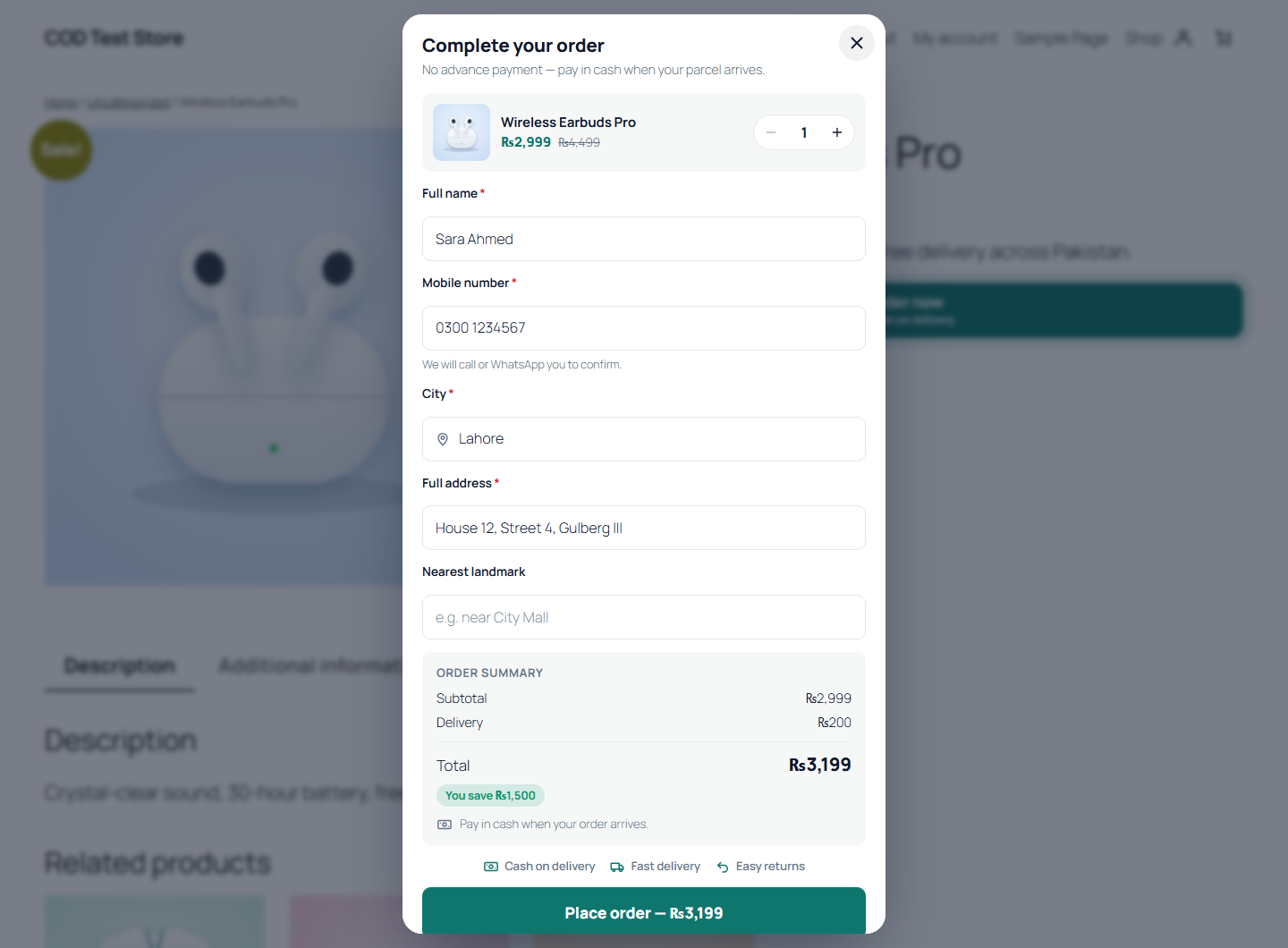
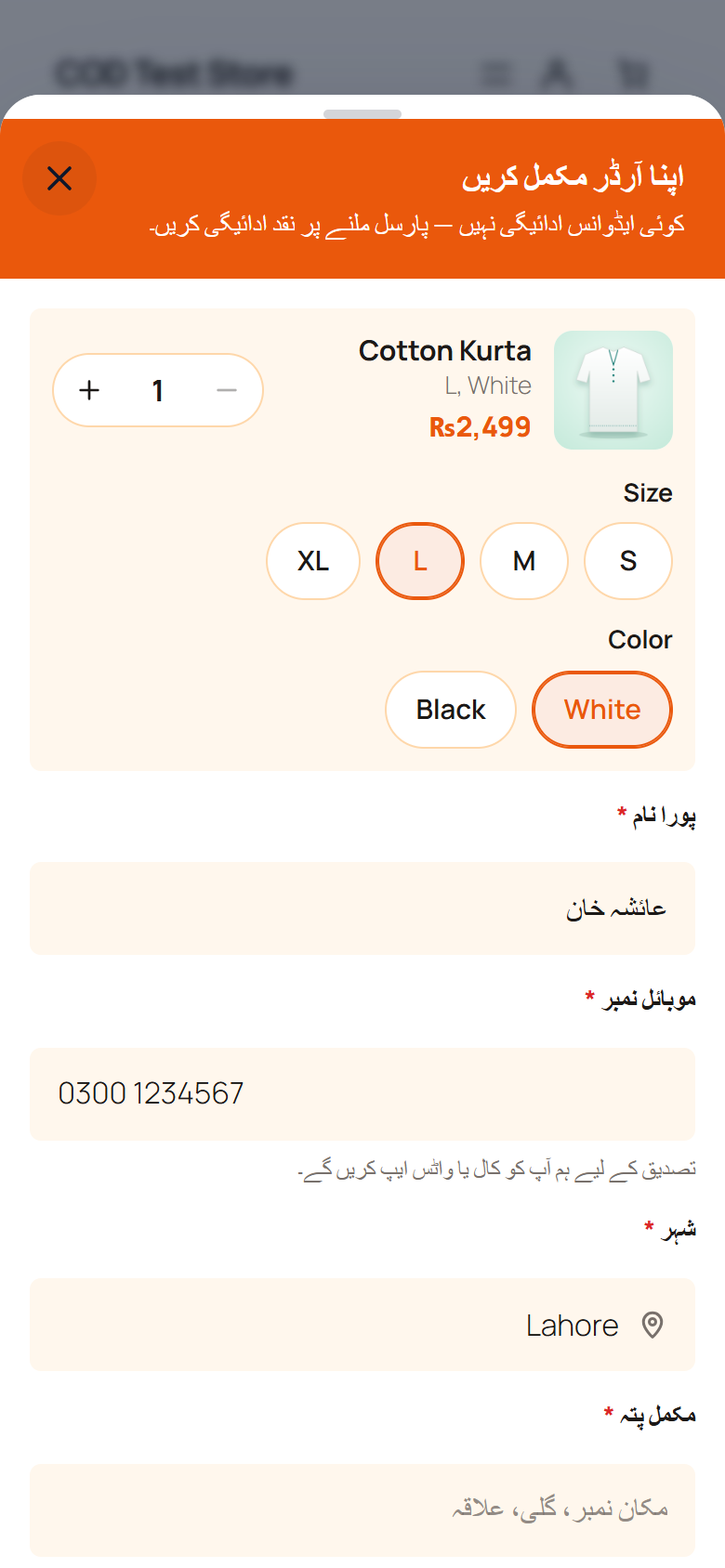
- With the one-step order form — customers tap “Order now” on the product page, fill in their name, phone, city and address, and the order is placed: no cart, no account, no card.
- With your normal checkout — keep WooCommerce’s cart and checkout exactly as they are, and ask risky cash-on-delivery orders to pay the delivery charge (or the whole order) online first.
Built for cash-on-delivery stores everywhere, with first-class support for Pakistan.
Every feature below is complete and works without limits. There is no order cap, no trial and no licence key in this plugin.
The order form
- Popup or embedded on the product page — replace the Add to cart button, or show the form above, below or after the price.
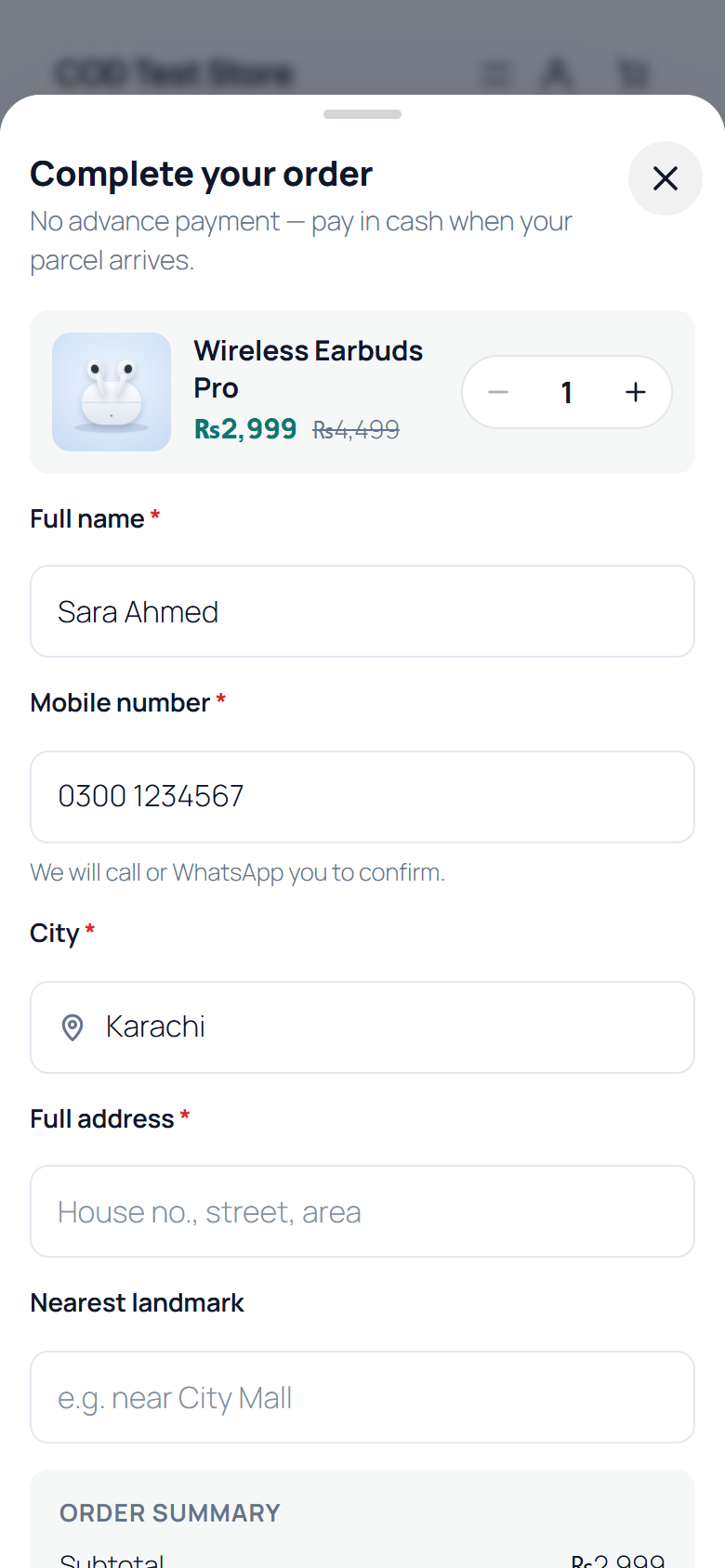
- Sticky “Order now” bar on phones that appears once the main button scrolls away.
- Quick-buy buttons on shop and category pages, an order button on the cart page, or replace the checkout with the form for COD-only stores.
- Shortcode, block and Elementor widget for landing pages:
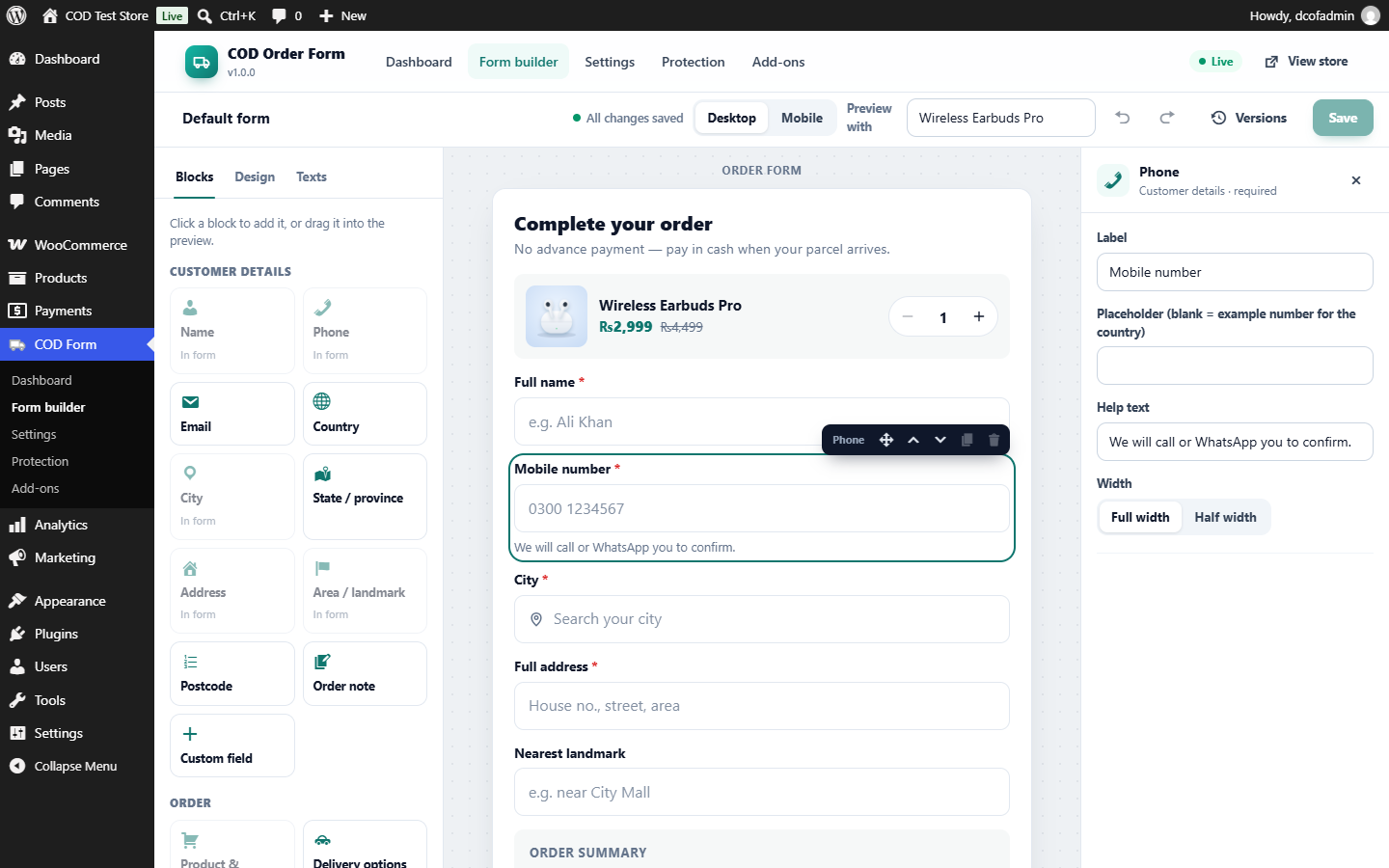
[dango_cod_form product="123" mode="embed"]. - Drag-and-drop form builder with a live preview that uses the real storefront form — what you see is what customers get.
- Fields for name, phone, email, city, province, address, nearest landmark, postcode and notes, plus custom fields (text, number, dropdown, choice buttons, checkbox, date, hidden value from a link).
- Simple and variable products with size and colour choices, quantity, and live totals.
- WooCommerce coupons, and a clear order summary with savings.
- Six ready languages for the form — English, Urdu, Roman Urdu, Arabic, French and Spanish — with right-to-left layout, and every word editable.
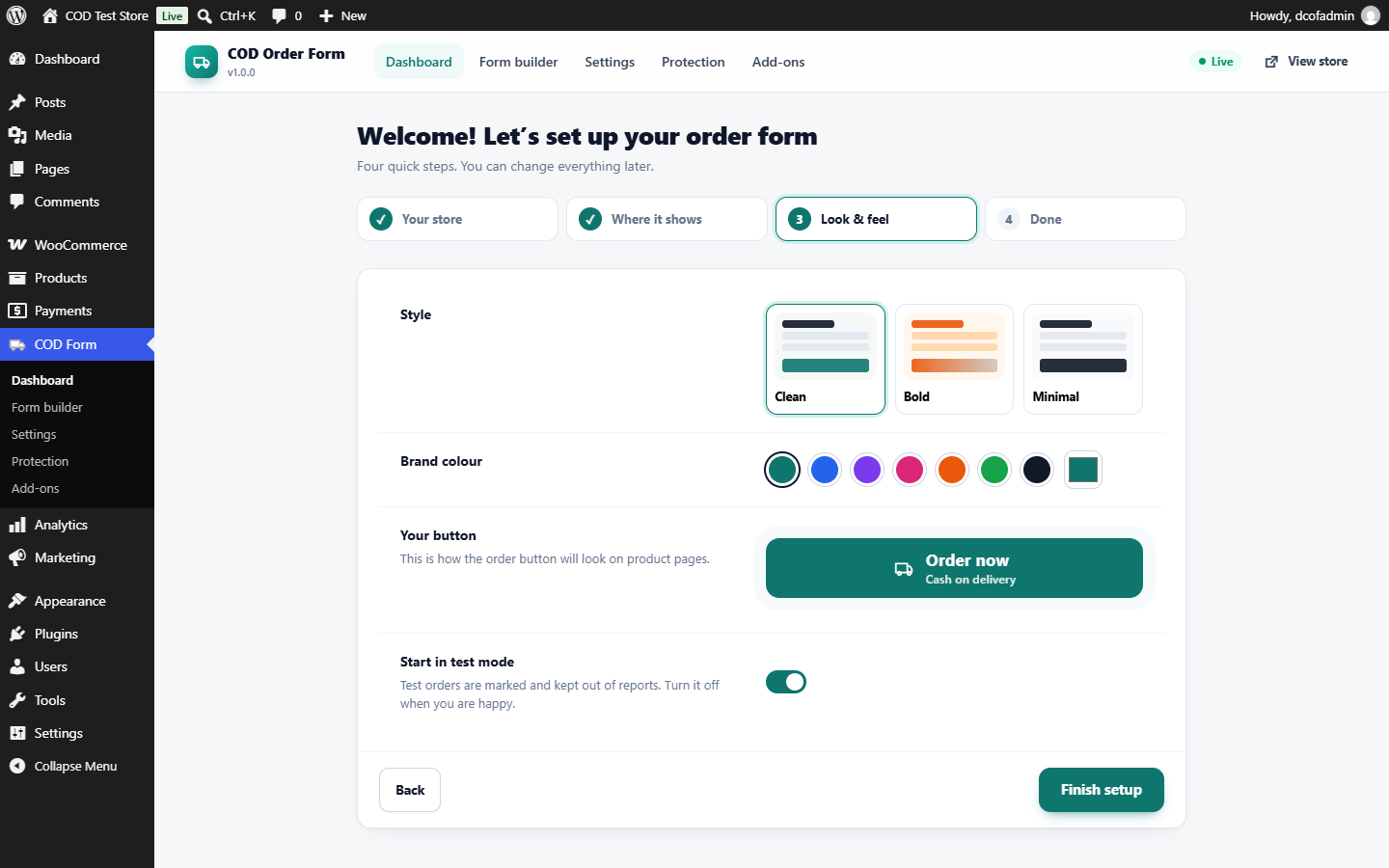
- Three design templates, your brand colour, corner style, field style, dark mode and button animations.
Built for cash-on-delivery markets
- Worldwide phone checks for more than 50 countries: every common way of typing a number is accepted (“0300-1234567”, “+92 300 1234567”, “923001234567”) and saved in one consistent format. The international number is kept too, for WhatsApp and SMS.
- Selling to several countries? The form starts on the shopper’s own country, read from the browser’s time zone and language. No location lookup; nothing is sent anywhere.
- Searchable city lists for Pakistan, India, Bangladesh, the UAE, Saudi Arabia, Egypt and Morocco (English and local names), and free-text cities everywhere else.
- Delivery charges: a flat charge, free above an amount, a different charge per city — or your WooCommerce shipping zones. Optionally show an estimated delivery time under the charge, for all cities or per city. Taxes from WooCommerce are shown and added the same way the order adds them.
- Terms & conditions at order placement: a checkbox or a short line linking to your terms page, recorded on the order.
- Address tips that nudge customers to add a house number and street, so riders can find them.
Fake-order protection
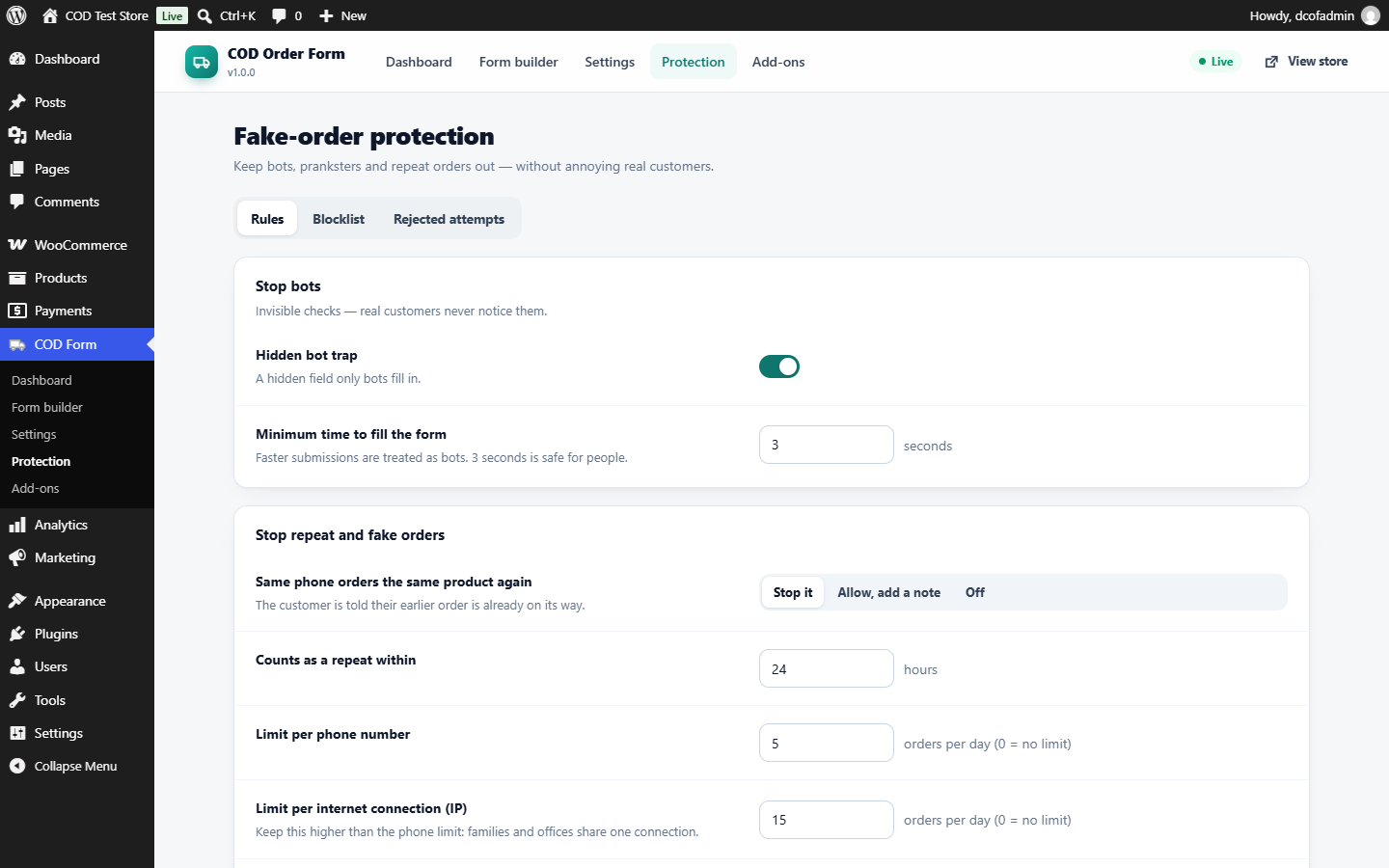
- Invisible bot trap and minimum fill time — no CAPTCHA puzzles for real customers.
- Duplicate check: the same phone ordering the same product again is told their order is already on its way.
- Daily limits per phone number and per internet connection.
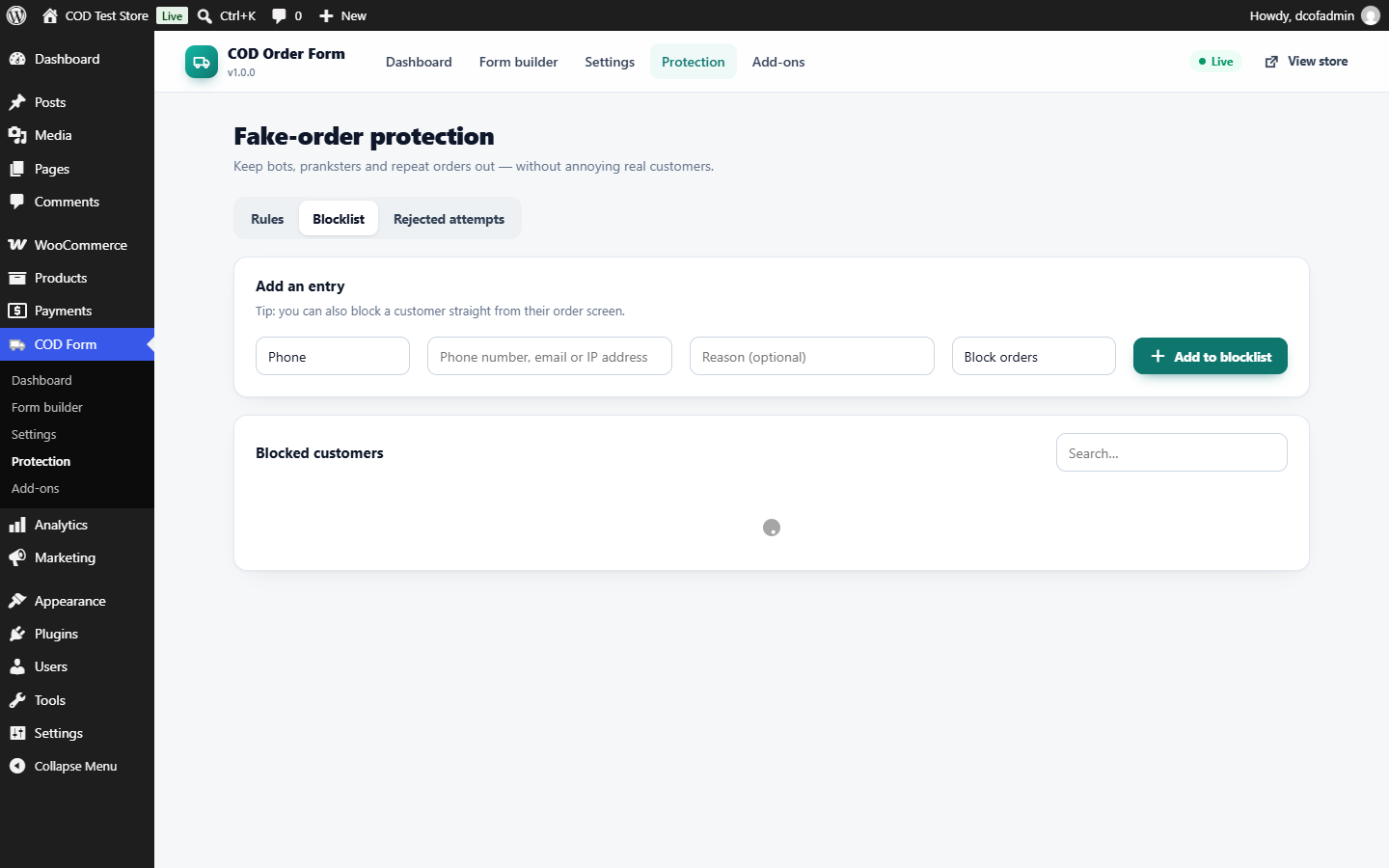
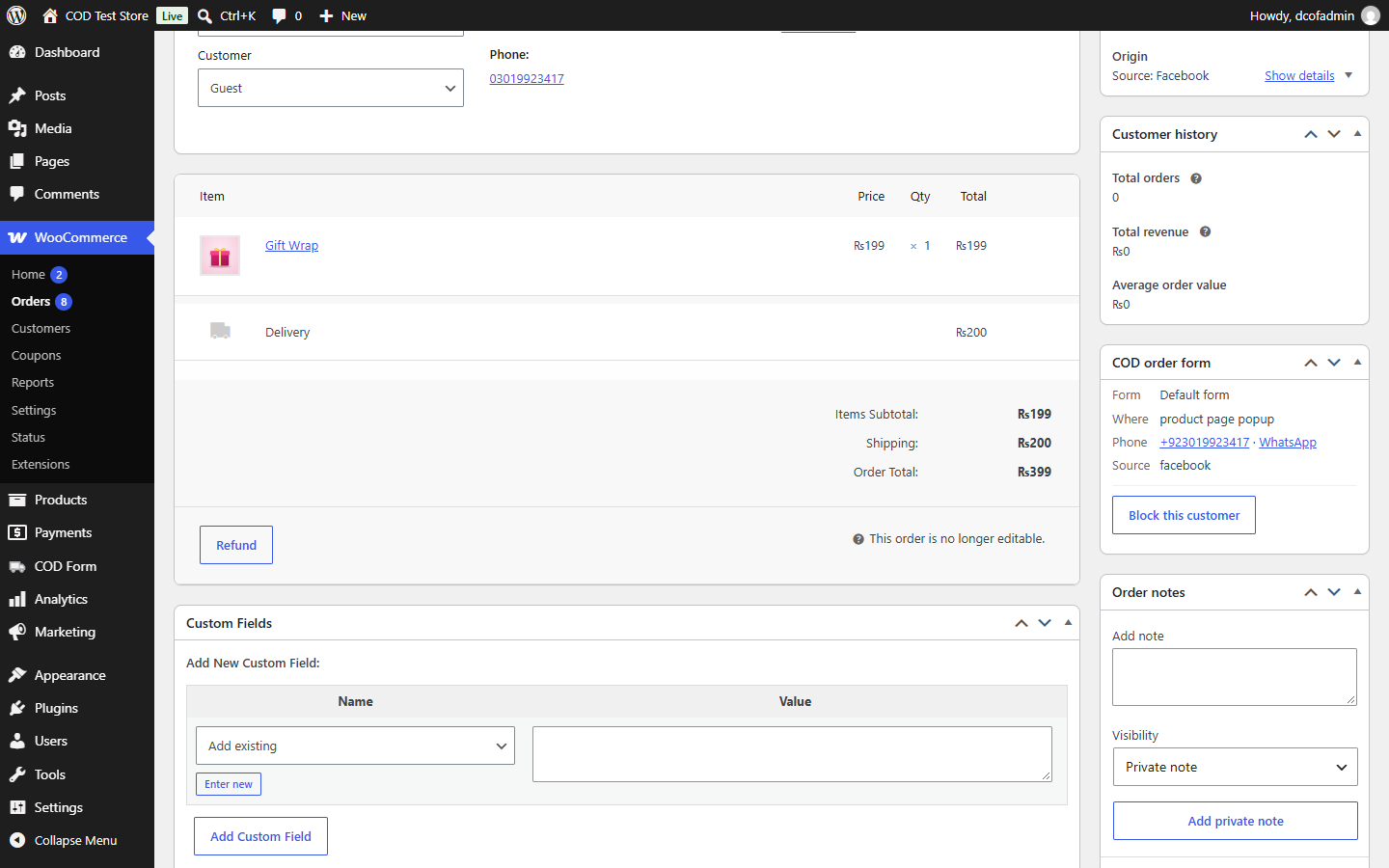
- Blocklist of phones, emails and IP addresses — block a customer straight from their order screen.
- Optional advance payment for the customers you choose (see below).
- Optional Cloudflare Turnstile bot check (reuses the keys from Dango System Utilities if you have it).
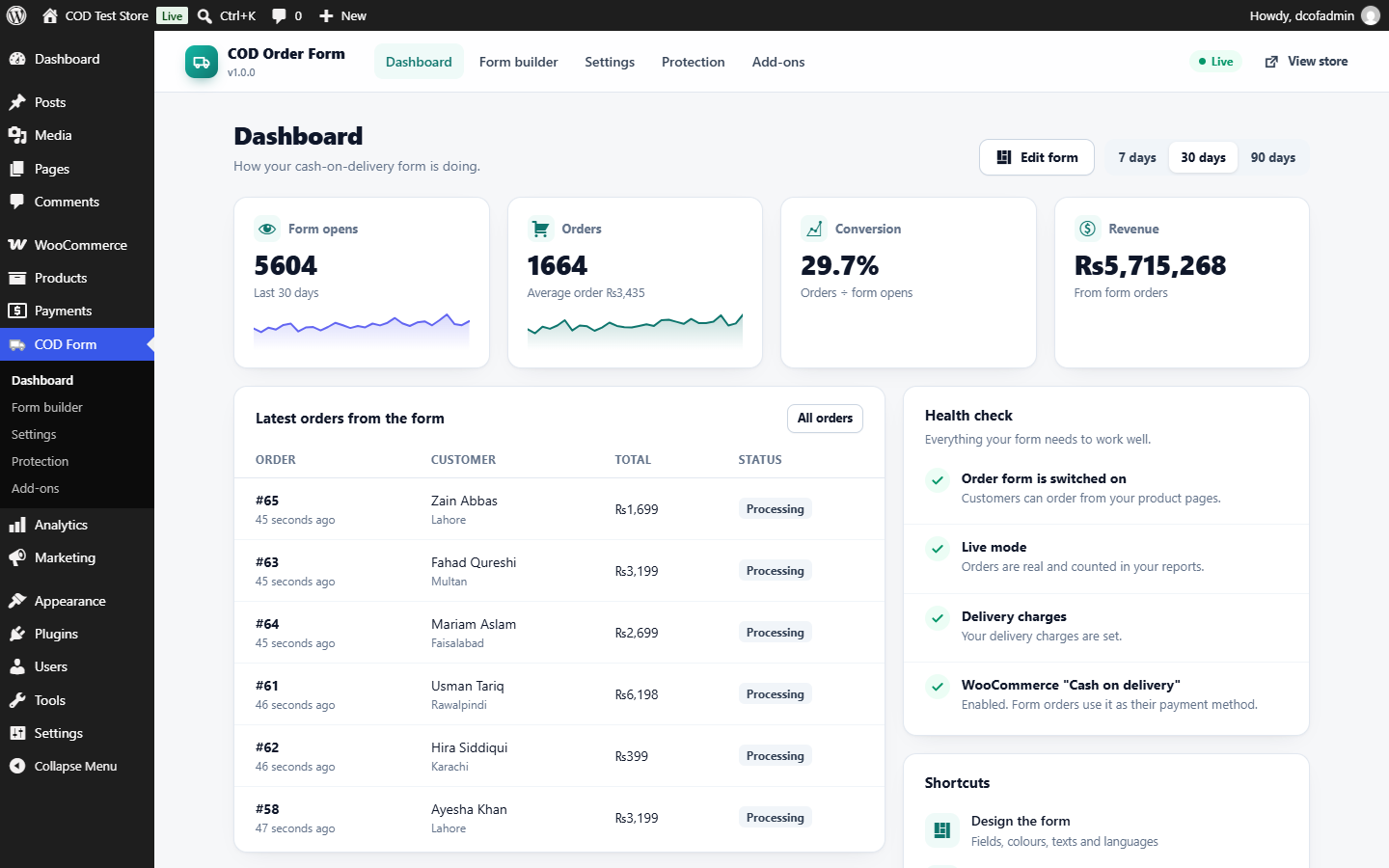
- A rejected-attempts log so you can see what was stopped and why.
Advance payment (optional)
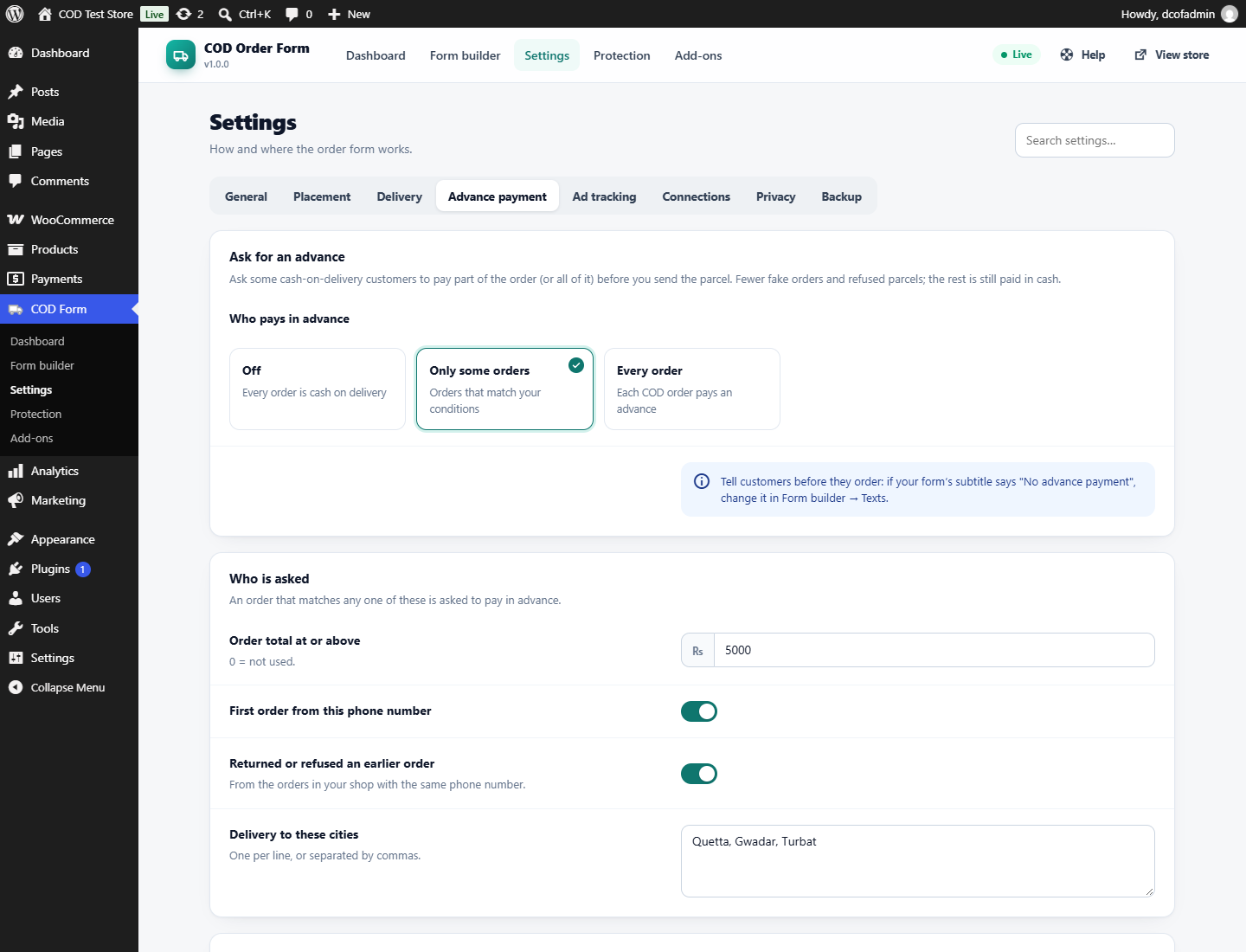
Ask some customers to pay part of the order — or all of it — before you send the parcel. Off by default; you decide who is asked:
- Every cash-on-delivery order, or only orders that match your conditions: order total above an amount, first order from a phone number, customers who returned or refused an order before, delivery to cities you choose — and, with SafeShip installed, customers with cancelled or returned orders in SafeShip’s history or flagged by SafeShip before.
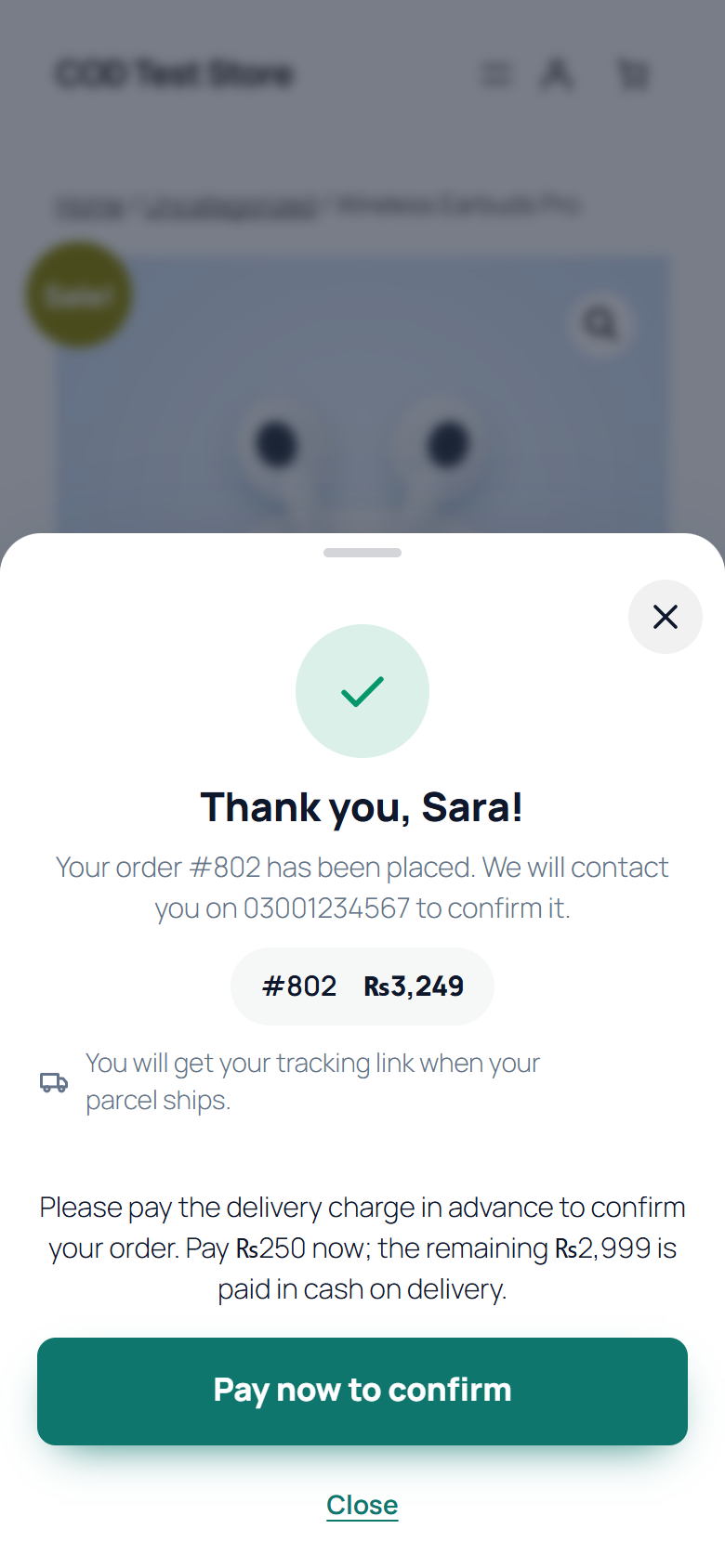
- How much: the delivery charge; the delivery charge plus a fixed amount or a percentage of the products; a fixed amount; a percentage of the order; or the whole order. The advance is always part of the order total, never extra — it is taken off the cash the rider collects.
- Works for orders from the order form and from your normal WooCommerce checkout (cash on delivery).
- Customers get a Pay now button after the order, on the thank-you page and in order emails, and pay on WooCommerce’s own pay page with any online method you offer — card, wallet or bank transfer. Cash on delivery is hidden there.
- A part payment is a small “Advance payment for order #…” order; once paid it is taken off the cash to collect and the order moves to Processing. Unpaid advances are cancelled by WooCommerce’s unpaid-order timer.
Works with WooCommerce, not around it
Every order is a normal WooCommerce order: stock, emails, reports, coupons and other plugins keep working. Compatible with the new order storage (HPOS) and the classic one, block themes and classic themes, and full-page caching (no exclusions needed).
Also works with WPML and Polylang (translate the form’s words per language), currency switchers (WOOCS, WPML multi-currency, Aelia, CURCY), Elementor, and product add-on plugins (products with required add-on fields keep the normal Add to cart). Includes WP-CLI commands (wp dango-cod) and a debug log you can switch on when something needs looking into.
Fast by design
No scripts or styles load on pages without a form. On product pages only a tiny loader runs until the shopper shows interest; the full form loads on first tap.
Ad tracking
Fire Meta (Facebook), TikTok and Google Analytics 4 events when the form opens and when an order is placed. Campaign details (UTM) and ad click ids are saved on each order, and WooCommerce’s own order attribution (“Origin”) is filled in too. Using Google Tag Manager? The form also pushes dcof_begin_checkout and dcof_purchase (with order number, value and items) to the data layer for your own tags.
Connects with DANGO products
- TrackKaro (courier tracking for Pakistan): the form uses your courier’s own city list from the copy TrackKaro keeps in your shop, and saves the courier city on the order for booking. The form never contacts TrackKaro’s servers.
- TrackKaro WhatsApp: form orders get the same WhatsApp confirmation as checkout orders.
- Dango System Utilities: reuse its Cloudflare Turnstile keys.
- SafeShip: if installed, its verdict is shown on the order screen, and its saved verdicts and customer history can decide who pays in advance. Read from your shop’s database only.
Pro add-on
A separate, paid add-on — Dango COD Order Form Pro — adds quantity offers and bundles, order bumps, one-click upsells, one-time codes by SMS or WhatsApp, risk rules, lost-sale recovery, server-side ad events, full reports and connections such as Google Sheets and webhooks, plus multi-step and conditional forms, file uploads, order confirmation links, a call queue for your team, A/B tests and more. It is described on the plugin’s Add-ons screen and at solutions.dango.pk. This plugin works fully on its own.
Source code
Everything in this plugin is its own, human-readable source: the PHP, JavaScript (assets/js, assets/admin) and CSS are hand-written and shipped exactly as written. Nothing is compiled, bundled or minified, so there are no build tools to run — edit the files directly. No third-party libraries are included.
External services
This plugin connects to outside services only when you switch them on:
Cloudflare Turnstile (bot check)
Used only when you enable “Cloudflare Turnstile” under Protection. When the form is shown, the customer’s browser loads Cloudflare’s Turnstile script from challenges.cloudflare.com; when an order is submitted, your site sends the Turnstile answer, your secret key and the customer’s IP address to Cloudflare’s siteverify endpoint to confirm the visitor is human. Terms of use · Privacy policy
Meta (Facebook) Pixel
Used only when you enter a Meta Pixel ID. The customer’s browser loads Meta’s pixel script from connect.facebook.net and sends page-view, “InitiateCheckout” and “Purchase” events (order value, currency and product ids). Terms · Privacy policy
TikTok Pixel
Used only when you enter a TikTok Pixel ID. The customer’s browser loads TikTok’s pixel script from analytics.tiktok.com and sends page-view, “InitiateCheckout” and “CompletePayment” events (order value, currency and products). Terms · Privacy policy
Google Analytics 4
Used only when you enter a GA4 measurement ID. The customer’s browser loads Google’s tag from www.googletagmanager.com and sends page-view, “begin_checkout” and “purchase” events (order number, value, currency and products). Terms · Privacy policy
The pixel code can be turned off (“Load the pixel code on my site”) when another plugin already loads it, and events can wait for cookie consent through the WordPress Consent API.
No other outside requests are made. The plugin does not contact DANGO, TrackKaro or any other server.
Screenshots
Blocks
This plugin provides 1 block.
- COD Order Form
Installation
- Install and activate WooCommerce.
- Install this plugin from Plugins Add New, or upload the zip, and activate it.
- You are taken to a short setup: choose your country and language, where the form shows and how it looks.
- Open any product page — the order button is there. Place a test order with test mode on.
FAQ
-
Does it replace the normal checkout?
-
Only if you want it to. By default the form sits on product pages next to (or instead of) Add to cart, and your normal checkout still works. There is an option to replace the checkout page for COD-only stores.
-
Can I use it without the order form?
-
Yes. Choose “My normal checkout” in the setup wizard (or set Settings Placement to Off). Your cart and checkout stay as they are, and advance payment works on cash-on-delivery orders from your checkout. The form’s own fake-order checks apply to orders placed through the form, so you can add the form to some products later and keep the checkout for the rest.
-
Is there a limit on orders?
-
No. Unlimited orders, always.
-
Does it work with page caching?
-
Yes. The form fetches a short-lived security token when it opens, so cached pages work without any exclusions.
-
Which payment method do form orders use?
-
WooCommerce’s “Cash on delivery”. The form works even if that gateway is disabled at the normal checkout.
-
Can risky customers pay before delivery?
-
Yes. Settings Advance payment asks every COD order, or only the ones you choose (big orders, first orders, earlier returns, certain cities, SafeShip history), to pay the delivery charge, an amount, a percentage or the whole order online first. You need at least one online payment method (card, wallet or bank transfer) switched on in WooCommerce.
-
Can I change the words and translate the form?
-
Yes. Pick one of six ready languages in the builder, then edit any text. With WPML or Polylang, the form’s words appear in their string translation screens. The admin screens are translatable through translate.wordpress.org.
-
Does it work outside Pakistan?
-
Yes — phone checks cover more than 50 countries and any other number is checked with a general rule. You can accept orders from several countries; customers then get a country picker.
Reviews
There are no reviews for this plugin.
Contributors & Developers
“Dango COD Order Form for WooCommerce” is open source software. The following people have contributed to this plugin.
Contributors
Translate “Dango COD Order Form for WooCommerce” into your language.
Interested in development?
Browse the code, check out the SVN repository, or subscribe to the development log by RSS.
Changelog
1.1.0
- New: terms & conditions at order placement, like WooCommerce’s checkout — a checkbox (ticked or not by default) or a “By placing your order, you agree to our terms” line, linking to your WooCommerce terms page. The order notes record the agreement. Settings General.
- Change: the delivery-time note is now an estimated delivery time, off by default (Settings Delivery “Show an estimated delivery time”), and reads “Estimated delivery: …”. Shops that already had a note keep it on.
1.0.2
- Fix: when WooCommerce taxes are on, the form now shows the tax (a GST/VAT row, or “Includes … tax” when prices are shown with tax) and its total matches the order.
- New: Settings Delivery “Charge tax on delivery” for the simple delivery charge (off by default: tax on the products only).
- Fix: with prices shown including tax, a discount no longer takes tax off twice.
1.0.1
- Security hardening: all output escaped when printed.
1.0.0
- First release.